See your bank balance 90 days ahead
Type in today's balance and add a transaction export from your bank. We find your paychecks and bills and project your balance forward. No sign-up and no bank login.
How it works
-
Type today's balance
Check your banking app and enter what your account holds right now. The forecast starts from that number.
-
Drop in a CSV, OFX or QFX export
Download 3 to 6 months of transactions from your bank's website and add the file.
-
Review the bills and paychecks we found
We list the payments that repeat, like rent, paychecks and subscriptions. Confirm them, fix an amount, or dismiss anything that's wrong.
What you get
Safe to spend until payday
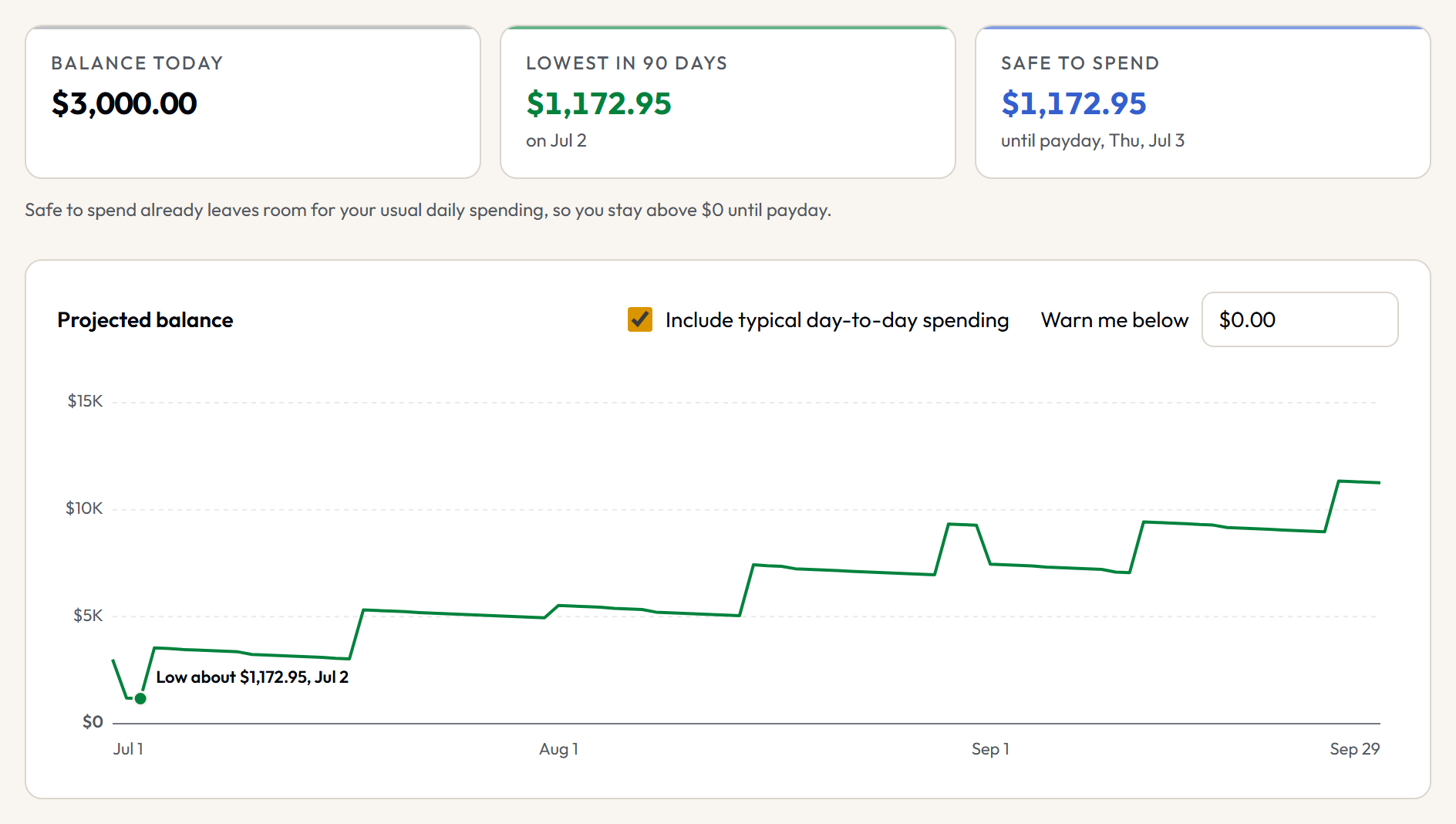
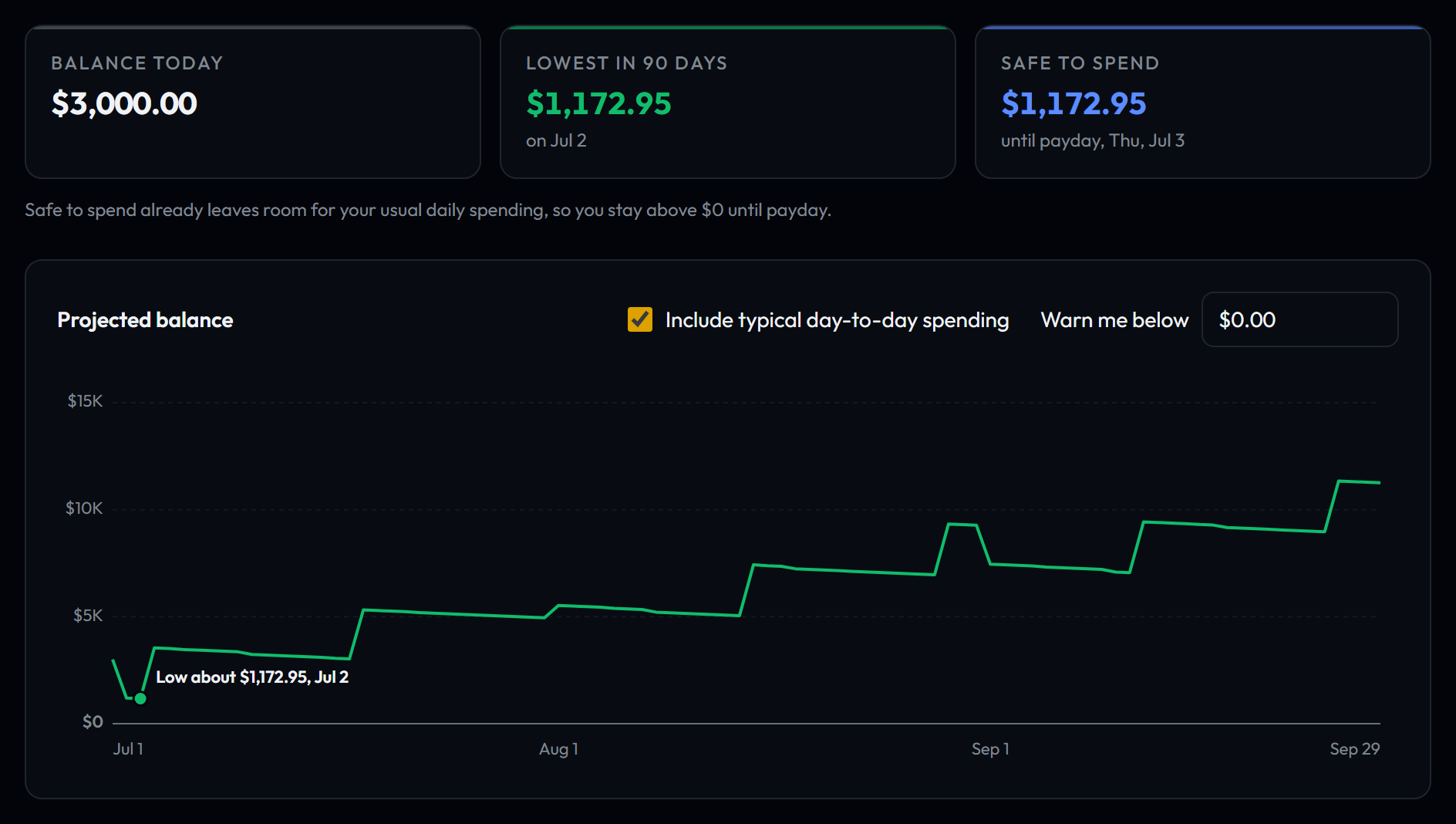
About how much you can spend before your next paycheck and still stay above $0, or above a floor you choose.
Lowest balance and when
The lowest your balance is likely to get in the next 90 days, and about when it happens.
Next 30 days of bills
Each bill and paycheck in the next 30 days, with the balance after each one.
Between paychecks
What comes in, what goes out, and what should be left in each pay period.
Check a purchase
Enter an amount and a date to see how a purchase would change your lowest balance.
Buffer warnings
Pick a balance you never want to go below, and the forecast warns you when it dips under it.
Card payments
Add a credit card and its payment shows up in the account that pays it, on the due date, based on what you owe and your usual card spending.
Your data stays on your device
- Your transactions stay in this browser. The file you add is read on your device and is not uploaded to our servers.
- There is no account to create and no bank login to share.
- Clearing your browser data deletes the forecast. To keep a copy or move to another browser, back it up to a file.
What it doesn't do
- US banks and dollars
- Dates account for weekends and US bank holidays, and every amount is in US dollars.
- No automatic bank sync
- To update the forecast, download a newer export and add it. If it's the same kind of file as last time, transactions you already added are skipped.
- Needs some history
- It works best with 3 to 6 months of transactions and a paycheck that arrives on a regular schedule.
- An estimate, not a promise
- Bills that change each month and everyday spending are based on your recent history, so real amounts will differ.
Supported files
CSV exports from these banks and cards are recognized on their own:
- Bank of America checking
- Bank of America credit card
- Chase checking
- Chase credit card
- Wells Fargo
- Citi credit card
- Capital One credit card
- Capital One 360
- American Express
- Discover
- Apple Card
- Ally Bank
- Charles Schwab
- USAA
- Fidelity
- Barclays credit card
- Mint (legacy export)
- SoFi
- Navy Federal Credit Union
OFX and QFX downloads (often labeled Quicken or Money) work from any bank that offers them. For any other CSV file, you pick which columns hold the date, description and amount, and you can save that layout for next time.
Questions
- Is the cash-flow forecast free?
- Yes. It is free to use, and you do not need to sign up.
- Do I need to connect my bank account?
- No. You download a transaction file from your bank's website and add it to the forecast. We never ask for your bank login.
- Where is my data stored?
- In your browser, on your device. Nothing you import is sent to a server. Clearing your browser data deletes it, so use the backup option to save a copy to a file.
- Which banks work?
- CSV exports from Bank of America checking, Bank of America credit card, Chase checking, Chase credit card, Wells Fargo, Citi credit card, Capital One credit card, Capital One 360, American Express, Discover, Apple Card, Ally Bank, Charles Schwab, USAA, Fidelity, Barclays credit card, Mint (legacy export), SoFi, and Navy Federal Credit Union are recognized on their own. OFX and QFX files work from any bank that offers them, and for other CSV files you match the columns yourself.
- How accurate is the forecast?
- It is an estimate built from your own history. Paychecks and bills that repeat on a schedule are placed on their usual day and moved for weekends and bank holidays. Amounts that vary, like utilities and everyday spending, use your recent typical amounts, so the real numbers will differ. When a date or amount is uncertain, the forecast says around or about.
- What if I get paid irregularly?
- The forecast looks for income that arrives on a schedule, so irregular pay may not be found on its own. You can add income yourself as a recurring item or as a one-time item on the date you expect it.
- How do I keep it up to date?
- Every week or two, update your balance and add a newer export from your bank. If it's the same kind of file as last time, transactions you already added are skipped. You can also add a calendar reminder from the forecast page.
Try it with your last few months
It takes a few minutes: your balance, one export from your bank, and a quick look at what we found.